

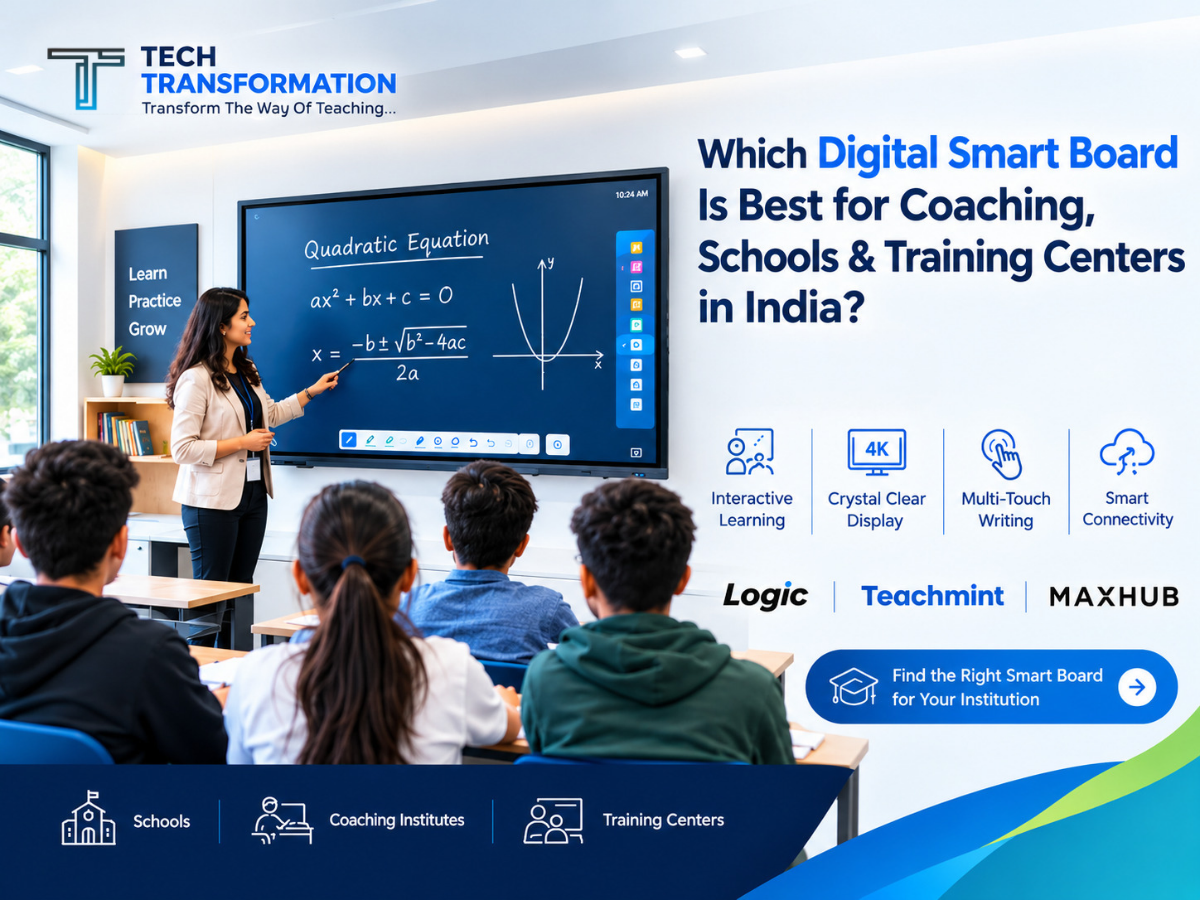
Choosing the best digital smart board is an important decision for schools, coaching institutes, colleges and professional training centers. Modern classrooms require more than a traditional blackboard or projector. Teachers need technology that makes lessons interactive, presentations clearer and everyday teaching easier.
A digital smart board, also known as an Interactive Flat Panel (IFP), combines a large touchscreen display with digital writing, multimedia presentations and interactive learning tools. Depending on the model, it may also support educational applications, wireless screen sharing, video conferencing and AI-powered teaching features.
If you are planning to upgrade your classroom or set up a new institute, this guide will help you understand which digital smart board is suitable for your requirements, which features to compare and how to choose the right screen size.
At Tech Transformation, we help institutions explore digital smart boards, interactive flat panels and smart classroom solutions based on their requirements.
What Is a Digital Smart Board?
A digital smart board is an interactive display that allows teachers, trainers and presenters to write, draw, display documents, play educational videos and interact with digital content directly on the screen.
Unlike a traditional projector setup, an interactive flat panel can combine the display and touch-writing experience in one device. Depending on the model, it can operate using its built-in operating system or connect to a laptop or external computer.
Digital smart boards are useful in:
- Schools and colleges
- Coaching institutes and competitive exam preparation centers
- Teacher training institutes
- Corporate training rooms
- Skill development centers
- Meeting rooms and presentation spaces
- Online teaching and hybrid learning environments
The right panel can help educators explain complex topics visually, annotate presentations in real time and make lessons more engaging.
Why Are Schools and Coaching Institutes Choosing Digital Smart Boards?
Digital teaching technology can make classroom delivery more flexible. Teachers can combine handwritten explanations with diagrams, videos, presentations and digital learning resources.
1. Interactive Teaching Experience
Teachers can write directly on the screen, underline important points, solve mathematical equations and explain diagrams without switching between several devices.
2. Better Visual Learning
High-resolution displays make charts, maps, scientific illustrations and presentation slides easier to view. This can be particularly useful for science, mathematics and technical subjects.
3. Digital Notes and Annotations
Many interactive panels include digital whiteboard applications. Depending on the software, teachers can erase, move, highlight, save or share their notes.
4. Multimedia-Based Learning
Teachers can use compatible educational applications, presentations, PDFs, images and videos to support different teaching methods.
5. Screen Sharing and Presentations
Compatible panels allow content to be shared from laptops and other devices. This is useful for classroom presentations, staff training and collaborative sessions.
6. Support for Hybrid Training
When paired with compatible cameras, microphones and conferencing software, an interactive panel can become part of a hybrid teaching or training setup.
Important: Features vary by brand and model. Always confirm the included software, operating system, connectivity options and accessories before purchasing.
Which Digital Smart Board Is Best for Schools, Coaching and Training Centers?
There is no single model that is best for every institution. Your ideal choice depends on your teaching style, budget, classroom size, software requirements and after-sales service availability.
Here are three brands worth comparing when selecting the best digital smart board.
1. Logic Digital Board
Logic Digital Board is an option to consider when comparing interactive flat panels for everyday classroom teaching and presentations.
Before selecting a particular Logic model, evaluate:
- 4K UHD display resolution
- Touch-writing accuracy and responsiveness
- Built-in whiteboard software
- Operating system and available applications
- RAM and storage specifications
- HDMI, USB and other connectivity options
- Warranty and local service support
Logic panels may be suitable for institutions looking for a practical digital teaching solution. Compare the exact model specifications and quotation before making your final decision.
2. Teachmint Interactive Flat Panel
Teachmint X is worth considering for institutions that want education-focused software and interactive classroom features.
Depending on the model, Teachmint X offers features such as interactive multi-touch technology, connected classroom tools and AI-assisted teaching capabilities.
Potential benefits include:
- Digital teaching and annotation
- Education-oriented software features
- Interactive classroom activities
- Digital content presentation
- Features for connected learning environments
Teachmint can be a good option for schools and coaching institutes that want their teaching workflow and interactive display to work together. Confirm the features included with the specific model you are purchasing.
3. MAXHUB Digital Smart Board
MAXHUB interactive flat panels are worth evaluating for classrooms, professional training rooms and collaborative meeting spaces.
When comparing a MAXHUB model, look at:
- Display clarity and touch performance
- Built-in whiteboard tools
- Wireless screen-sharing compatibility
- Audio and video conferencing support, where available
- Operating system and computer connectivity
- Installation and after-sales support
MAXHUB may be appropriate for institutions that need interactive presentations, group collaboration and training-room functionality.
Which Brand Should You Choose?
The best brand is the one that meets your actual requirements and offers reliable support after installation.
Compare Logic, Teachmint and MAXHUB through a live demonstration. Test the writing experience, open your teaching materials, check connectivity and confirm the warranty before placing an order.
Best Digital Smart Board Size for Your Classroom
Choosing the right screen size is just as important as selecting the brand. A display that is too small may be difficult to read from the back of the classroom, while a larger panel may be unnecessary for a small training room.
65-Inch Digital Smart Board
A 65-inch panel may suit smaller classrooms, compact coaching batches, private teaching rooms and small meeting spaces.
Consider this size when the viewing distance is relatively short and the room has limited wall space.
75-Inch Digital Smart Board
A 75-inch panel is a practical starting point for many standard classrooms and coaching rooms.
It provides a larger working area for digital writing, presentations, diagrams and multimedia content. It can be suitable for schools and coaching centers where students need to read content from different seating positions.
86-Inch Digital Smart Board
An 86-inch panel may be suitable for larger classrooms, lecture rooms, seminar spaces and professional training centers.
The larger screen provides more space for detailed explanations and presentations. However, room dimensions, viewing distance and installation arrangements should be checked before selecting this size.
Quick Screen Size Comparison
| Screen Size | Suitable Applications |
| 65 inch | Small classrooms and compact training rooms |
| 75 inch | Standard classrooms and coaching institutes |
| 86 inch | Large classrooms and lecture halls |
These are general guidelines, not fixed rules. Ask for a demonstration from the intended viewing distance before choosing a size.
Important Features to Check Before Buying a Digital Smart Board
Before purchasing an Interactive Flat Panel in India, compare the specifications that directly affect teaching, usability and long-term ownership.
1. 4K UHD Display
A 4K UHD resolution of 3840 × 2160 pixels can provide detailed text, images, diagrams and presentations.
Check the actual resolution and display quality rather than relying only on marketing descriptions.
2. Responsive Touch Technology
Teachers frequently write equations, draw diagrams and annotate slides. The screen should respond accurately to both finger and stylus input.
During a demo, test writing speed, erasing, palm contact and multi-touch functions.
3. Operating System and Application Support
Check which operating system is installed and whether it supports the applications your institution uses.
Confirm compatibility with the required teaching apps, video conferencing tools, document formats and presentation software.
4. Built-In Whiteboard Software
A useful digital whiteboard should make it easy to write, erase, highlight, draw shapes and work with classroom content.
If saving or sharing notes is important, verify whether those features are available and whether an account or internet connection is required.
5. Connectivity Options
Check which ports and wireless features are included. Depending on your setup, you may need HDMI, USB, Wi-Fi, Bluetooth, LAN or wireless screen sharing.
Confirm compatibility with your existing laptop, computer, camera and other classroom equipment.
6. RAM and Storage
For panels that run applications directly, RAM and internal storage can affect the user experience.
Compare the actual specifications of the models you are considering and check whether the configuration can support your required apps.
7. Warranty and After-Sales Service
A digital board is a long-term investment. Ask about the warranty period, service process, installation charges, software support and availability of technicians in your city.
For institutions buying multiple panels, also clarify the service arrangements for every installation location.
Digital Smart Board Price in India
The price of a digital smart board depends on its screen size, brand, hardware specifications, software, accessories and warranty package.
For an accurate quotation, compare the total package rather than the display price alone.
Factors that can influence the final price include:
- Screen size: 65, 75 or 86 inches
- Display resolution and panel technology
- Built-in operating system and computing hardware
- Educational software and included licences
- Camera, microphone and other accessories
- Wall mount or mobile stand
- Delivery, installation and training
- Warranty and after-sales service
Prices can change by model, configuration and order quantity. Request a current quotation for the exact product you want to purchase.
If you are comparing the Digital Board Price in India, make sure you compare equivalent specifications and check whether taxes, installation and accessories are included.
Best Digital Smart Board for Different Applications
For Schools
Schools should prioritise ease of use, reliable touch writing, educational software, clear display quality and teacher training.
A 75-inch panel can be a starting point for a standard classroom, while larger rooms may require an 86-inch display.
For Coaching Institutes
Coaching teachers often need to solve numerical problems, annotate PDFs, explain diagrams and present study materials.
Look for a panel with responsive writing, easy note management, reliable software and a screen size appropriate for the batch.
For Training Centers
Training centers may require presentations, collaborative activities, laptop connectivity and hybrid meeting capabilities.
In addition to the panel, consider whether the room needs a compatible camera, microphone, speakers or conferencing equipment.
For Corporate Offices
Office users may prioritise wireless presentation, document annotation, video conferencing and collaboration tools.
Choose a model based on the applications and meeting-room equipment used by your organisation.
Why Choose Tech Transformation for Digital Smart Boards?
Choosing the right digital board involves more than selecting a brand. The panel should match the room, teaching requirements, budget and support expectations of the institution.
Tech Transformation offers digital smart board and interactive flat panel solutions for educational institutions, coaching institutes, offices and training environments.
You can explore available options from brands including Logic, Teachmint, MAXHUB and other supported brands, subject to current model availability.
Our solutions can include:
- Digital smart boards and interactive flat panels
- Smart classroom setup
- Product selection based on your requirements
- Installation assistance
- Guidance on compatible classroom equipment
- After-sales support, according to the applicable service terms
Whether you are setting up a new classroom or upgrading an existing institution, compare the available options and request a demonstration before making your decision.
Looking for the best digital smart board for your institution?
Contact Tech Transformation to discuss your requirements, compare suitable models and request a quotation.
Call or WhatsApp: 7571851891
Website: https://techtransformation.co.in/
Frequently Asked Questions (FAQs)
1. Which digital smart board is best for coaching institutes?
The best digital smart board for a coaching institute is one that offers responsive touch writing, clear display quality, useful whiteboard software and reliable after-sales support. Compare Logic, Teachmint and MAXHUB models according to your budget and teaching requirements.
2. Which digital smart board size is best for schools?
A 75-inch panel is a useful starting point for many standard classrooms. Smaller rooms may suit a 65-inch model, while larger classrooms may benefit from an 86-inch panel. Always consider viewing distance and seating arrangements.
3. Is a 4K digital smart board worth buying?
A 4K UHD panel can display detailed text, diagrams, presentations and videos more clearly. It is worth considering when visual clarity is important, especially in classrooms where students sit at different distances from the screen.
4. What is the difference between a digital smart board and an interactive flat panel?
The terms are often used interchangeably in the Indian market. An interactive flat panel is a large touchscreen display designed for direct interaction, digital writing and presentations. The exact capabilities depend on the product.
5. Can a digital smart board be used without a laptop?
Many modern interactive flat panels have built-in operating systems and can run supported applications without a separate laptop. Some functions or applications may require an external computer or internet connection, depending on the model.
6. What should I check before buying an interactive flat panel?
Check the display resolution, touch responsiveness, operating system, application compatibility, RAM, storage, connectivity, warranty, installation and local after-sales service. A live demonstration is strongly recommended.
7. Which brands should I compare for an interactive flat panel in India?
You can compare Logic, Teachmint and MAXHUB, along with other suitable brands available for your requirements. Evaluate individual models rather than selecting a brand based on name alone.
8. Does Tech Transformation provide digital smart board installation?
Contact Tech Transformation to confirm installation availability, service coverage, applicable charges and after-sales support for your selected model and location.
Conclusion
The best digital smart board for coaching, schools and training centers in India depends on your classroom size, teaching style, software requirements and budget.
A 65-inch panel may suit a compact room, a 75-inch panel is a practical option for many standard classrooms, and an 86-inch panel may be more appropriate for larger teaching spaces.
Before purchasing, compare Logic, Teachmint and MAXHUB models, test the writing experience and confirm the warranty and service arrangements.
If you are planning a new smart classroom or upgrading an existing institute, Tech Transformation can help you explore digital smart board options and request a suitable quotation.
Call or WhatsApp 7571851891 to discuss your requirements.